
Your brand. A clear lead-generation flow.
At TradelineScore, "white-label" refers to a branded lead-generation iFrame embedded on your own website or domain. It displays live inventory, and you can customize the logo, branding and colors within the iFrame.

Raquel Hudson, Tradeline Specialist
More than a decade of experience in tradeline placement, credit report analysis and client support.
Reviewed October 7, 2026
Your website, a branded inventory iFrame
At TradelineScore, "white-label" refers to a branded lead-generation iFrame embedded on your own website or domain. It displays live inventory, and you can customize the logo, branding and colors within the iFrame.
It is not a full private portal or checkout. A client chooses the lines they are interested in and submits their contact details. The lead is emailed to you so you can follow up directly.
What is included
Broker tools are free. There is no setup fee, monthly fee, minimum volume or special activation requirement for the iFrame tools. This describes access to the tools, not the cost of a tradeline order.
Included
- Live inventory iFrame
- Logo / branding / colors inside the iFrame
- Fixed-dollar or percentage client markup
- Lead information emailed to broker
- Broker/client management tools
- No setup or monthly fee
Not Included
- Full private/branded portal
- Client checkout or payment through the iFrame
- Branded client emails
- Branded invoices
- Automated branded reports/status updates
- Branded support under the broker's name
How a client inquiry reaches you
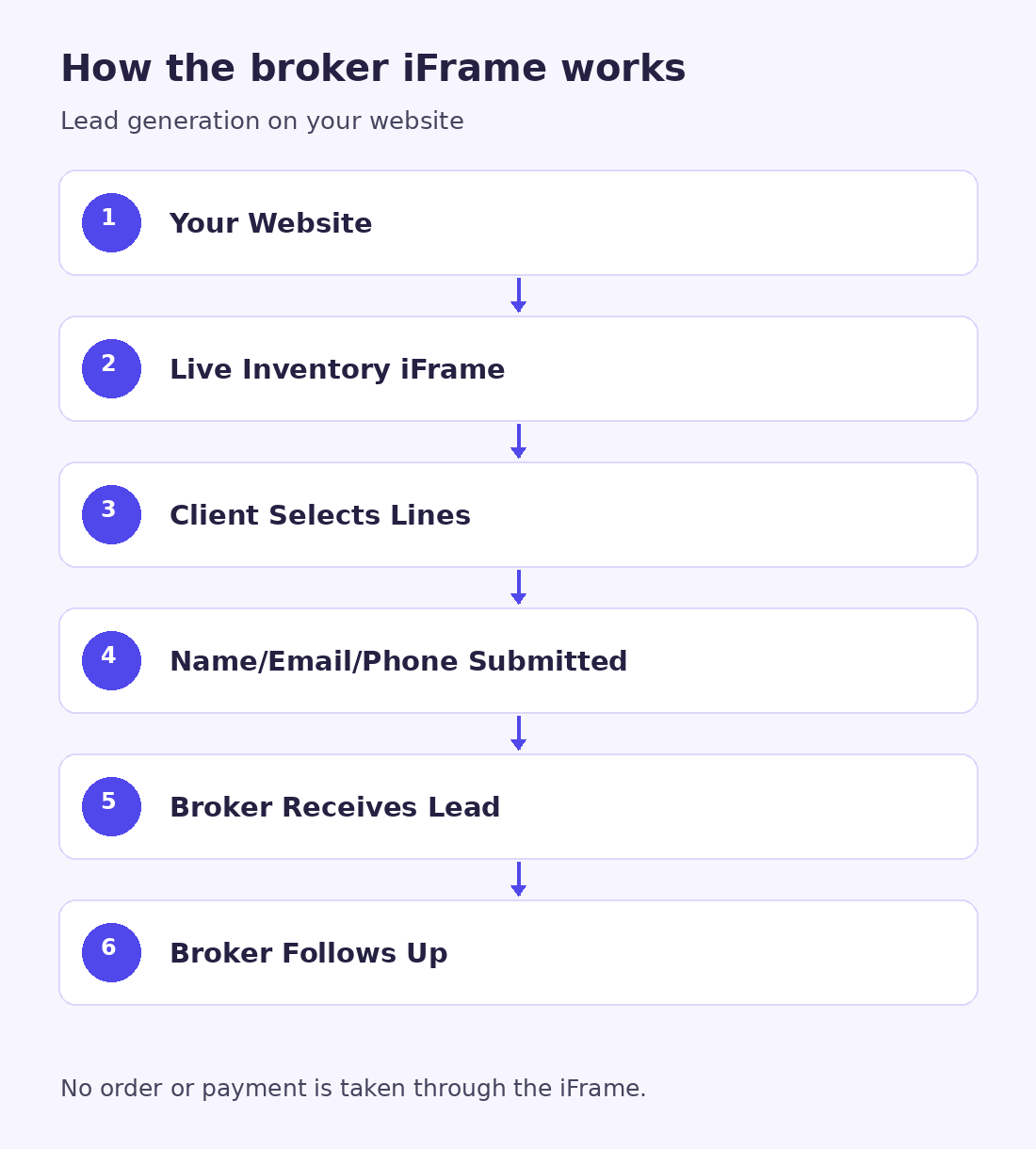
Embed the iFrame on your website. The client views live inventory and selects the line or lines they are interested in.
The visible lead form collects Name, Email, Phone and selected lines or interest. The submitted lead is emailed to you.
You follow up directly with the client. No order is placed and no payment is taken through the iFrame. You collect payment from the client.
Who handles the client and the order
Broker
- Handles client relationship
- Handles client support
- Collects client payment
TradelineScore
- Works with broker on fulfillment
- Handles refund matters with broker
The iFrame does not replace that broker-client relationship. Its branding does not mean TradelineScore provides a separate branded support team to your clients.
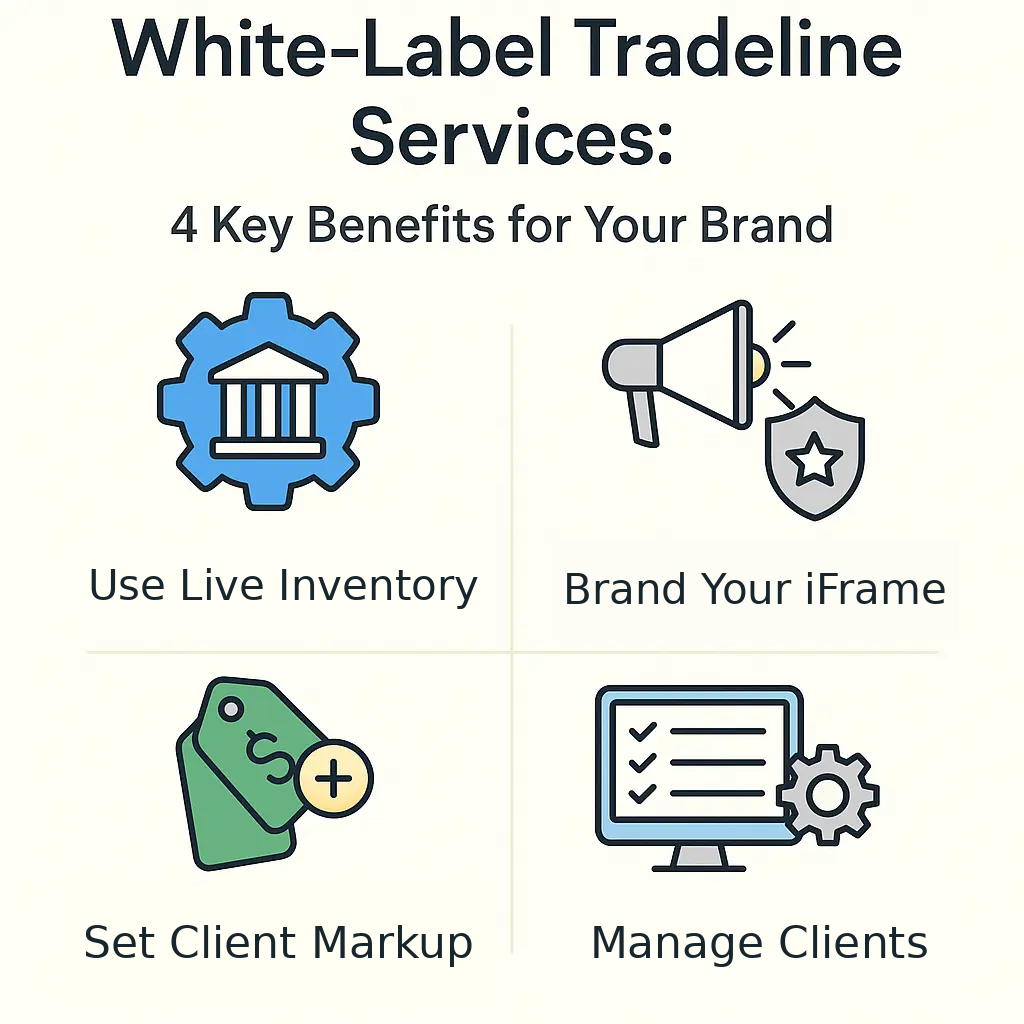
Live inventory access, branding within the iFrame, client markup tools and client management are broker-facing tools. The iFrame generates leads; it does not take orders or payments.
Client information and responsibilities
You remain responsible for how you present your services and handle the client relationship. White-label branding is not a compliance certification or a promise of credit, financing or income results.
Set up the iFrame
Use the iFrame integration guide for the embed steps. If you need broker access first, review the Broker Program.
For how TradelineScore handles payment holding and posting verification, read the Payment & Posting Process. Client payment to you and platform fulfillment with you are separate parts of the workflow.
Frequently asked questions
What does white-label mean at TradelineScore?
It means a live-inventory iFrame on your own website with logo, branding and colors customized within the iFrame. It does not include a full branded/private portal, branded client emails or invoices, automated branded reporting, or branded support.
Can a client buy or pay through the iFrame?
No. The iFrame is lead-generation only. A client selects the lines they are interested in and submits Name, Email and Phone. The lead is emailed to the broker, who follows up directly and collects payment from the client. No order or payment is taken through the iFrame.
Who handles client support, fulfillment and refunds?
The broker handles the client relationship and support. The broker contacts TradelineScore for fulfillment or refund issues, and TradelineScore handles those matters with the broker.
Are the iFrame tools free?
Yes. Broker tools are free, with no setup fee, monthly fee, minimum volume or special activation requirement. Tool access is separate from the cost of a tradeline order.
Start with the broker tools
Review the Broker Program, then follow the iFrame integration guide to display inventory on your website.